Understanding this in JavaScript
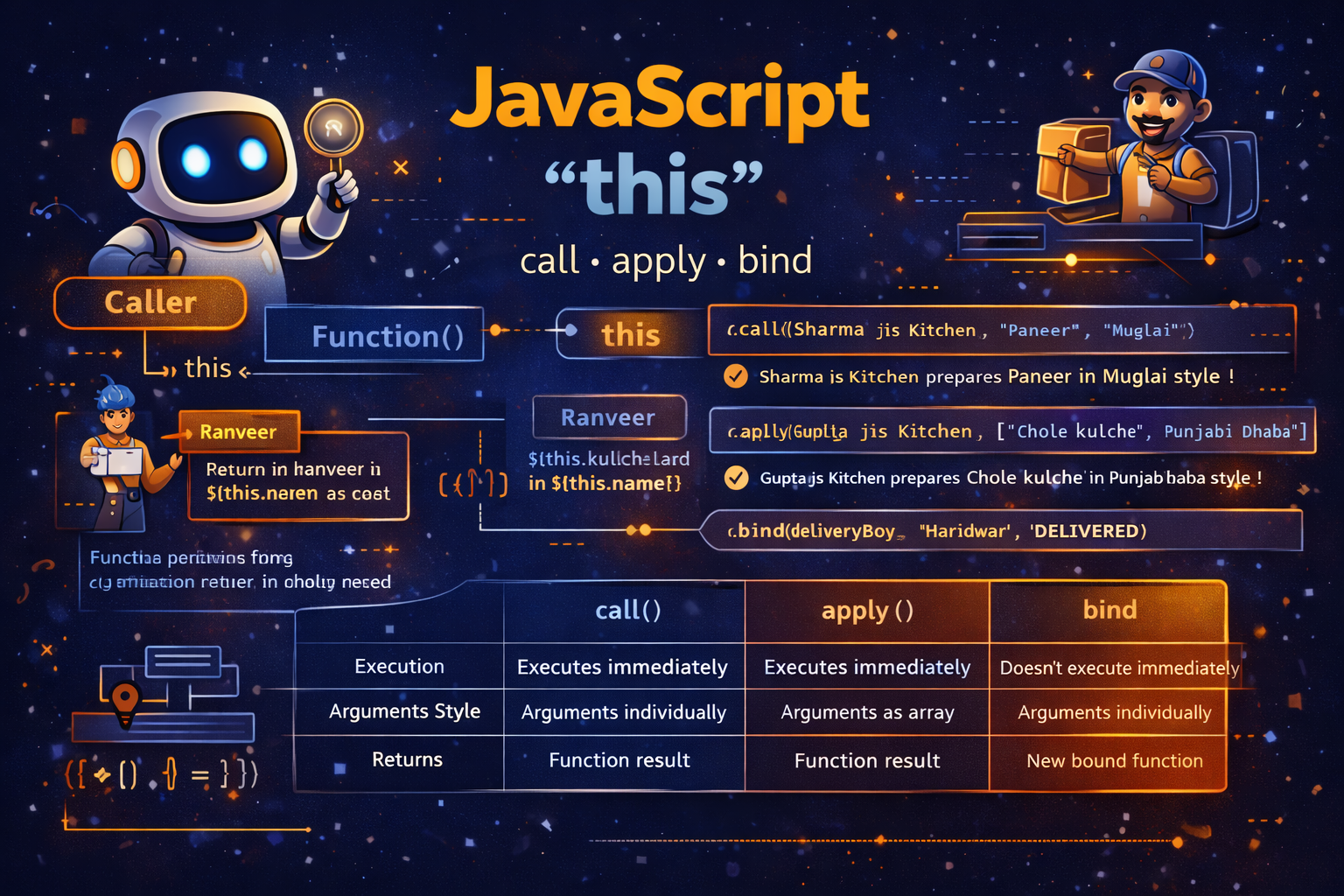
One of the most confusing topics for beginners in JavaScript is the keyword this. Many developers initially assume that this refers to the function itself or some fixed object. However, in JavaScript, this works differently. It does not refer to where a function is written — it refers to who is calling the function.
A helpful way to understand this is to imagine a microphone on a stage. Whoever is holding the microphone is the one speaking. The microphone represents this. When the same function is called by different objects, this changes depending on the caller.
Because JavaScript is flexible and functions can be used in many contexts, the value of this can change depending on how the function is invoked. This behavior becomes extremely important when working with objects, event handlers, and advanced features like call(), apply(), and bind().
In this guide, we will explore how this behaves in different situations, including global context, inside functions, inside objects, and when using call, apply, and bind.
What this Means in JavaScript
In simple terms, this refers to the object that is calling the function.
When a function runs, JavaScript determines the value of this based on the execution context of the function call.
To observe this behavior, consider the following example.
console.log(this);
In a browser environment, the output will usually be the global object (window). In Node.js, it may refer to a different global object depending on the environment.
This means that when code runs at the global level, this refers to the global execution context.
Now consider the following function.
function ranveerOnGlobalStage() {
  return typeof this;
}

console.log(ranveerOnGlobalStage()); // object
Even though the function does not belong to an object, the function is called in the global context. Therefore, this refers to the global object.
This shows an important rule: if a normal function is called without an owner object, this usually refers to the global object (unless strict mode changes this behavior).
Understanding this concept is essential because it explains why this sometimes behaves unexpectedly in JavaScript.
this Inside Normal Functions
When this appears inside a normal function, its value depends entirely on how the function is called.
Consider this example.
function ranveerWithNoScript() {
  return this;
}

console.log(ranveerWithNoScript()); // global object
Here the function is called directly, without any object. Because of that, the caller is the global environment.
Therefore, this refers to the global object.
This behavior surprises many beginners because the function itself does not appear connected to any object.
However, the rule remains consistent:
JavaScript decides the value of this based on the caller of the function.
If a function is called without an explicit object, the global object becomes the caller.
This is why developers must always pay attention to how a function is invoked, not just where it is defined.
this Inside Objects
Objects provide one of the most common and useful uses of this.
When a function is defined inside an object and called through that object, this refers to that object.
Example:
const bollywoodFilm = {
  name: "Bajirao Mastani",
  lead: "Ranveer",

  introduce() {
    return `\({this.lead} performs in \){this.name}`;
  },
};

const bollywoodFilm2 = {
  name: "Dhurandhar",
  lead: "Ranveer",

  introduce() {
    return `\({this.lead} performs in \){this.name}`;
  },
};

console.log(bollywoodFilm.introduce()); // Ranveer performs in Bajirao Mastani
console.log(bollywoodFilm2.introduce()); // Ranveer performs in Dhurandhar
Here the same method name exists in two objects. The value of this changes depending on the object calling the function.
When bollywoodFilm.introduce() runs, this refers to bollywoodFilm.
When bollywoodFilm2.introduce() runs, this refers to bollywoodFilm2.
This is why this is so powerful. It allows functions to dynamically work with the object that invokes them.
this Inside Nested Functions and Arrow Functions
A very common confusion happens when functions are nested inside other functions.
Example:
const filmSet = {
  crew: "Spot boys",

  prepareProps() {
    console.log(`Outer this.crew: ${this.crew}`);

    function arrangeChairs() {
      console.log(`Inner this.crew: ${this.crew}`);
    }

    arrangeChairs();

    const arrangeLights = () => {
      console.log(`Arrow this.crew: ${this.crew}`);
    };

    arrangeLights();
  },
};

filmSet.prepareProps();
Output explanation:
Outer this.crew→ Spot boysInner this.crew→ undefinedArrow this.crew→ Spot boys
Why does this happen?
Normal functions create their own this context. Since arrangeChairs() is called as a normal function, this becomes the global object.
Arrow functions behave differently. They do not create their own this. Instead, they inherit this from their surrounding scope.
Therefore, arrangeLights() correctly accesses filmSet.crew.
Detached Methods and this
Another important scenario occurs when methods are separated from their objects.
const actor = {
  name: "Ranveer",
  bow() {
    return `${this.name} takes a bow`;
  },
};

console.log(actor.bow()); // Ranveer takes a bow

const detachedBow = actor.bow;

console.log(detachedBow()); // undefined takes a bow
Here the method was detached from its object.
When detachedBow() runs, it is no longer called by actor. Therefore, this loses its connection to the object.
This demonstrates a key idea:
When a function is detached from its object, it loses its original this context.
This situation often occurs when functions are passed as callbacks.
What call() Does
The call() method allows us to manually specify what this should refer to.
Example:
function cookDish(ingredient, style) {
  return `\({this.name} prepares \){ingredient} in ${style} style !`;
}

const sharmaKitchen = { name: "Sharma jis Kitchen" };

console.log(cookDish.call(sharmaKitchen, "Paneer and spices", "Muglai"));
// Sharma jis Kitchen prepares Paneer and spices in Muglai style !
Here cookDish does not belong to sharmaKitchen. However, by using call(), we temporarily assign this to sharmaKitchen.
call() takes arguments individually after the object reference.
What apply() Does
apply() works almost exactly like call().
The difference is how arguments are passed.
Instead of passing arguments separately, apply() expects them inside an array.
Example:
const guptaKitchen = { name: "Gupta jis Kitchen" };

const guptaOrder = ["Chole kulche", "Punjabi Dhaba"];

console.log(cookDish.apply(guptaKitchen, guptaOrder));
// Gupta jis Kitchen prepares Chole kulche in Punjabi Dhaba style !
A popular use case for apply() is working with arrays.
Example:
const bills = [100, 30, 45, 50];

Math.max.apply(null, bills);
Math.max(...bills);
Both approaches return the maximum number.
What bind() Does
Unlike call() and apply(), the bind() method does not execute the function immediately.
Instead, it returns a new function with this permanently bound.
Example:
function reportDelivery(location, status) {
  return `\({this.name} at \){location}: ${status}`;
}

const deliveryBoy = { name: "Ranveer" };

const bindReport = reportDelivery.bind(deliveryBoy);

console.log(bindReport("Haridwar", "WHAT"));
// Ranveer at Haridwar: WHAT
Here bind() creates a new function where this always refers to deliveryBoy.
This technique is extremely useful when passing methods into callbacks or event handlers.
Difference Between call, apply, and bind
These three methods are closely related, but their behavior differs slightly.
| Method | Execution | Arguments Style | Returns |
|---|---|---|---|
| call | Executes immediately | Arguments individually | Function result |
| apply | Executes immediately | Arguments as array | Function result |
| bind | Does not execute immediately | Arguments individually | New bound function |
Example comparison:
console.log("Call: ", reportDelivery.call(deliveryBoy, "Lyari", "Ordered"));
// Call: Ranveer at Lyari: Ordered

console.log("Apply: ", reportDelivery.apply(deliveryBoy, ["Mars", "Pick up"]));
// Apply: Ranveer at Mars: Pick up

console.log("Bind: ", reportDelivery.bind(deliveryBoy, "Haridwar", "WHAT"));
// returns a new function
Conclusion
The this keyword is one of the most dynamic features of JavaScript. Instead of referring to where a function is written, it refers to who is calling the function. This behavior allows functions to operate on different objects depending on the context in which they are used. Understanding how this works in normal functions, inside objects, and inside arrow functions is essential for writing reliable JavaScript code.
Methods such as call(), apply(), and bind() give developers precise control over the value of this, making it possible to reuse functions across different objects. Mastering these concepts helps developers avoid confusing bugs and unlocks powerful programming patterns used in modern JavaScript applications.