Understanding JavaScript Functions
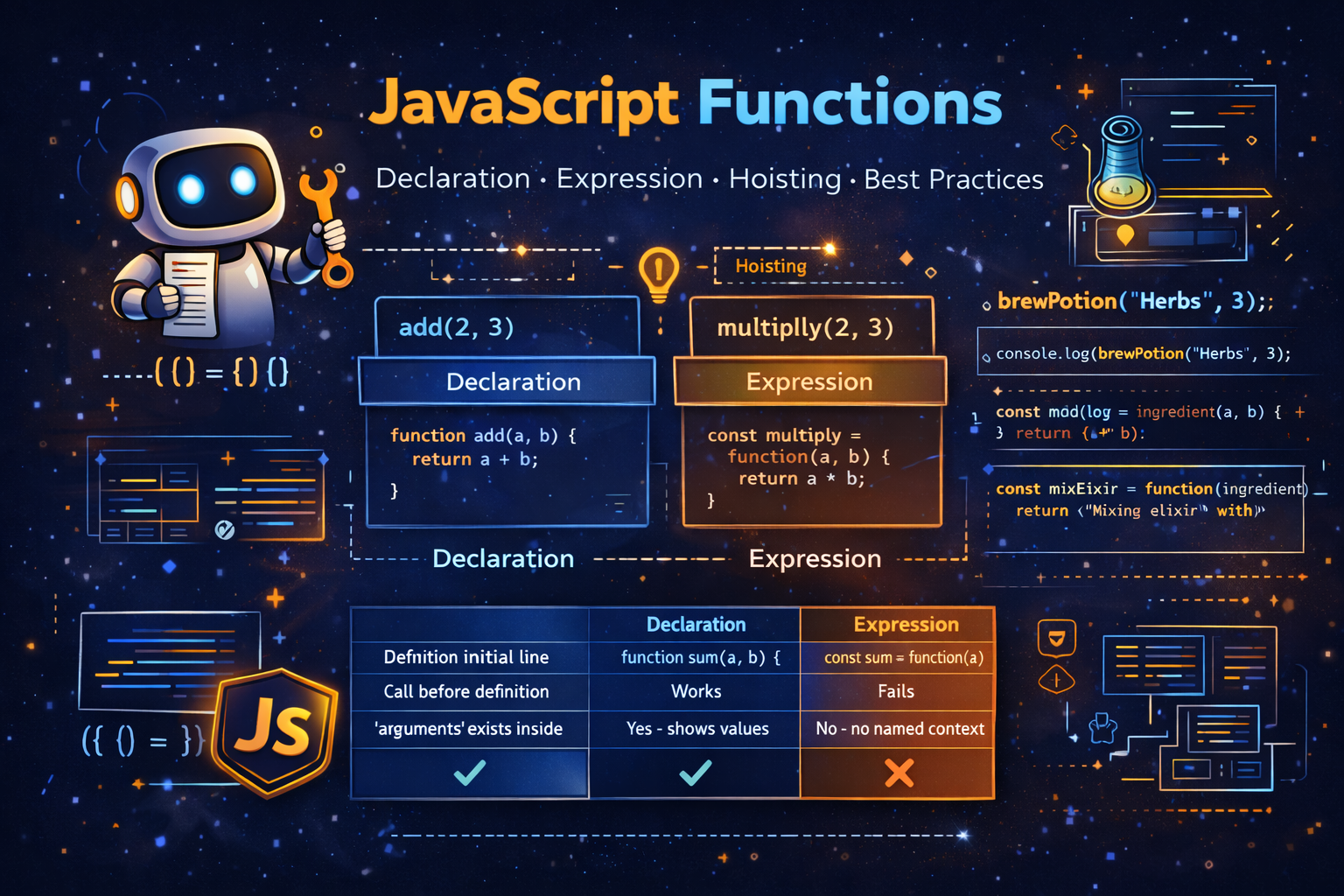
Programming often involves repeating the same set of instructions many times. If we had to write the same code again and again, programs would quickly become long, messy, and difficult to maintain. This is where functions become extremely useful.
A function is a reusable block of code designed to perform a specific task. Instead of repeating logic multiple times, we place the logic inside a function and simply call that function whenever we need it. This makes programs cleaner, easier to read, and much easier to maintain.
Think of a function like a machine in a factory. You provide inputs, the machine processes them, and it produces an output. Every time you need that operation, you simply use the machine again.
For example, imagine a program that repeatedly adds two numbers. Without functions we would have to write the same logic again and again. With functions we define the logic once and reuse it.
Functions are one of the most fundamental building blocks in JavaScript. They are used everywhere—from simple scripts to complex frameworks.
What Functions Are and Why We Need Them
A function is essentially a named block of code that can be executed whenever needed. The main advantage of functions is reusability. Instead of writing the same code repeatedly, we write it once and reuse it whenever necessary.
Imagine you are developing a program for a potion shop in a fantasy game. Every time a potion is brewed, the same process happens: ingredients are added and the potion is prepared. Instead of rewriting the brewing logic every time, we can create a function.
Example:
console.log(brewPotion("Healing Herbs", 3));

function brewPotion(ingredient, dose) {
  return `Brewing potion with \({ingredient} (x\){dose})... Potion ready`;
}
Output
Brewing potion with Healing Herbs (x3)... Potion ready
In this example:
brewPotionis the function nameingredientanddoseare parametersthe returned string is the result
Functions help organize code into logical blocks. This makes programs easier to read and debug.
Without functions, programs would become long sequences of repeated instructions. Functions solve this problem by making code modular and reusable.
Function Declaration Syntax
A function declaration is the most traditional way of creating functions in JavaScript. It uses the function keyword followed by a name and parentheses containing parameters.
The general syntax looks like this:
function functionName(parameters) {
  code to execute
}
Example:
function addNumbers(a, b) {
  return a + b;
}

console.log(addNumbers(4, 5)); // 9
Output
9
In this example:
addNumbersis the function nameaandbare parametersreturnsends the result back
Function declarations are often used for core program logic because they are easy to read and clearly named.
One important characteristic of function declarations is that they are hoisted, meaning JavaScript moves them to the top of their scope during execution. Because of this behavior, we can sometimes call the function before it appears in the code.
Example:
console.log(brewPotion("Healing Herbs", 3));

function brewPotion(ingredient, dose) {
  return `Brewing potion with \({ingredient} (x\){dose})... Potion ready`;
}
Even though the function is defined after the call, it still works due to hoisting.
Function Expression Syntax
A function expression is another way of creating functions. Instead of declaring the function directly, we assign it to a variable.
Example:
const mixElixir = function (ingredient) {
  return `Mixing elixir with ${ingredient}`;
};

console.log(mixElixir("Phoenix Feather"));
Output
Mixing elixir with Phoenix Feather
Here:
the function has no direct name
it is stored inside the variable
mixElixir
Function expressions are commonly used when functions are treated as values, which is possible in JavaScript because functions are first-class citizens.
This means functions can:
be stored in variables
be passed as arguments
be returned from other functions
Function expressions are widely used in modern JavaScript patterns and libraries.
Key Differences Between Function Declaration and Expression
Although both declarations and expressions create functions, there are important differences.
Function declarations are hoisted, while function expressions are not hoisted in the same way.
Example:
console.log(add(2, 3));

function add(a, b) {
  return a + b;
}
Output
5
This works because the declaration is hoisted.
Now compare with a function expression:
console.log(multiply(2, 3));

const multiply = function(a, b) {
  return a * b;
};
Output
ReferenceError: Cannot access 'multiply' before initialization
This happens because variables declared with const or let are not initialized until their definition is executed.
In practice:
Function declarations are often used for main program functions.
Function expressions are useful when functions need to be stored, passed, or created dynamically.
Understanding this difference helps prevent confusing errors in programs.
A High-Level Idea of Hoisting
Hoisting is a JavaScript behavior where certain declarations are moved to the top of their scope before execution.
For function declarations, this means the function can be called before its definition appears in the code.
Example:
console.log(brewPotion("Healing Herbs", 3));

function brewPotion(ingredient, dose) {
  return `Brewing potion with \({ingredient} (x\){dose})... Potion ready`;
}
This works because JavaScript internally treats the code as if the function was defined first.
However, this does not work with function expressions.
Example:
console.log(mixElixir("Sage"));

const mixElixir = function (ingredient) {
  return `Mixing elixir with ${ingredient}`;
};
This results in an error because the variable has not yet been initialized.
A simple way to remember:
Function declarations → hoisted
Function expressions → not callable before definition
This behavior explains why some functions work before their definition while others do not.
Arrow Functions and Function Behavior
JavaScript also supports arrow functions, which provide a shorter syntax for writing functions.
Example:
const distilEssence = (ingredient) => {
  return `Mixing elixir with ${ingredient}`;
};

console.log(distilEssence("Lavender"));
Output
Mixing elixir with Lavender
Arrow functions behave differently from regular functions in some cases.
For example, arrow functions do not have their own arguments object.
Example with a normal function:
function oldBrewingLogs() {
  console.log("Type:", typeof arguments);
  console.log("Is Array:", Array.isArray(arguments));

  const argsArray = Array.from(arguments);
  console.log(argsArray);
}

oldBrewingLogs("Sage", "Rosemary");
Output
Type: object
Is Array: false
["Sage", "Rosemary"]
Now compare with an arrow function:
const arrowBrew = () => {
  try {
    console.log(arguments);
  } catch (e) {
    console.log(e.message);
  }
};

arrowBrew();
Output
arguments is not defined
This difference is important when choosing between function types.
Higher-Order Functions
JavaScript allows functions to be passed as arguments to other functions. Such functions are called Higher-Order Functions (HOFs).
Example:
function brewAndCount(name) {
  globalCount++;
}

function anotherFunctionForClass(brewAndCount) {
  return function newBrew() {
    // do something
  };
}
Here:
a function is passed into another function
the outer function returns another function
This ability is extremely powerful and forms the foundation of many advanced JavaScript patterns.
Immediately Invoked Function Expressions (IIFE)
An IIFE is a function that runs immediately after it is created.
Example:
const potionShop = (function () {

  let inventory = 0;

  return {
    brew() {
      inventory++;
      return `Brew potion #${inventory}`;
    },

    getStock() {
      return inventory;
    }
  };

})();
Using the potion shop:
console.log(potionShop);
console.log(potionShop.brew());
console.log(potionShop.inventory);
Output
{ brew: [Function], getStock: [Function] }
Brew potion #1
undefined
Notice that inventory cannot be accessed directly. This technique is often used to create private variables.
Closures in JavaScript
Closures are another powerful feature related to functions. A closure occurs when a function remembers variables from its outer scope even after that outer function has finished executing.
Example:
function makeFunc() {

  const name = "Mozilla";

  function displayName() {
    console.log(name);
  }

  return displayName;
}

const myFunc = makeFunc();
myFunc();
Output
Mozilla
Here:
displayNameremembers the variablenameeven after
makeFunchas finished running
Closures allow functions to maintain access to their surrounding data, enabling powerful patterns like data privacy and function factories.
Conclusion
Functions are one of the most essential tools in JavaScript programming. They allow developers to organize logic into reusable blocks, making programs easier to understand, maintain, and scale. By learning how to write function declarations, function expressions, and arrow functions, developers gain the ability to structure programs efficiently. Concepts such as hoisting, higher-order functions, IIFEs, and closures further expand the capabilities of functions, allowing them to power complex applications and patterns in modern JavaScript development.
Understanding functions deeply is a major milestone for any JavaScript developer, because nearly every program relies on functions to organize and execute its logic effectively.