Understanding Blocking vs Non-Blocking Code in Node.js
Introduction
One of the most important concepts in Node.js is understanding the difference between blocking and non-blocking code. This concept directly impacts how fast your application runs, how many users it can handle, and how efficiently it uses system resources.
Node.js is designed to be non-blocking by default, which is one of the main reasons it is widely used for building scalable backend systems.
In this blog, we will explore what blocking and non-blocking code mean, why blocking slows down servers, how asynchronous operations work, and how this affects real-world applications.
What Blocking Code Means
Blocking code refers to code that stops the execution of further operations until the current task is completed. In other words, the program cannot move forward until the current operation finishes.
Key Idea
When a blocking operation is running:
The thread is occupied
No other task can execute
The system is effectively "waiting"
Example
const data = fs.readFileSync("file.txt", "utf-8");
console.log(data);
console.log("Next line");
What Happens
The program starts reading the file
It waits until the file is fully read
Only then does it execute the next line
If the file is large or slow to read, the entire program pauses.
Analogy
Think of blocking code like standing in a queue:
You cannot do anything else
You must wait until your turn is completed
This behavior is simple but inefficient for servers handling multiple requests.
What Non-Blocking Code Means
Non-blocking code allows the program to continue executing other tasks while a long-running operation is being processed.
Key Idea
The task is delegated
Execution continues immediately
Result is handled later via callbacks, promises, or async/await
Example
fs.readFile("file.txt", "utf-8", (err, data) => {
  console.log(data);
});

console.log("Next line");
What Happens
File read request is initiated
Node.js delegates the task
"Next line" executes immediately
Once the file is ready, the callback runs
Analogy
Non-blocking code is like ordering food at a restaurant:
You place the order
You sit and do other things
When food is ready, you are notified
This allows multiple operations to happen efficiently.
Why Blocking Slows Servers
Blocking operations are problematic in server environments because Node.js runs on a single thread.
Impact of Blocking
When a blocking operation runs:
The server cannot process other requests
All incoming users must wait
Response time increases
Performance degrades significantly
Example Scenario
Imagine a server handling 100 users:
One user triggers a blocking file read
The server pauses
Other 99 users are stuck waiting
This creates a bottleneck and makes the system slow.
Key Insight
Blocking code reduces:
Throughput (requests per second)
Responsiveness
Scalability
This is why Node.js strongly encourages non-blocking patterns.
Async Operations in Node.js
Node.js handles asynchronous operations using:
Callbacks
Promises
Async/Await
These allow tasks to run in the background while the main thread continues execution.
Example with Async/Await
import fs from "node:fs/promises";

async function readFile() {
  const data = await fs.readFile("file.txt", "utf-8");
  console.log(data);
}

readFile();
console.log("Next line");
What Happens
awaitpauses only inside the functionThe main thread remains free
Other operations can continue
Key Advantage
Async operations:
Prevent blocking
Improve concurrency
Make code cleaner and readable
Real-World Examples
1. File Reading
Blocking
const data = fs.readFileSync("bigfile.txt", "utf-8");
Server waits until file is read
No other request is handled
Non-Blocking
fs.readFile("bigfile.txt", "utf-8", (err, data) => {
  console.log(data);
});
Server continues handling other users
File result handled later
2. Database Calls
Blocking (Hypothetical)
const user = db.getUserSync(1);
- Server waits for DB response
Non-Blocking
const user = await db.getUser(1);
Request is handled asynchronously
Other requests continue processing
3. API Calls
fetch("https://api.com/data")
  .then(res => res.json())
  .then(data => console.log(data));
Network request happens in background
Main thread is free
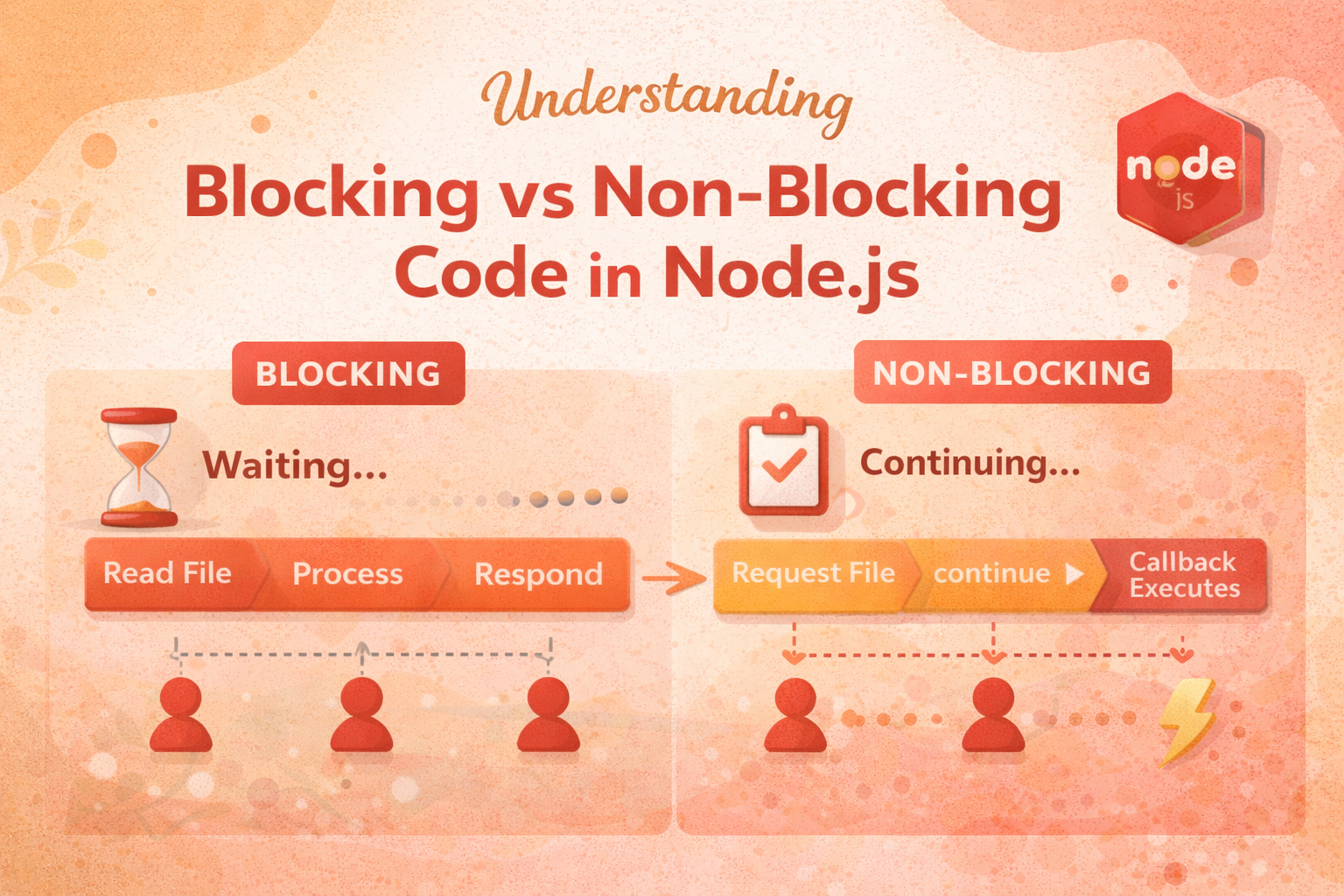
Blocking vs Non-Blocking Timeline
Blocking Execution
Time →
[ Read File ] → [ Process ] → [ Respond ]

Other tasks must wait until each step finishes
Non-Blocking Execution
Time →
[ Request File ] → continue → continue → [ Callback executes ]

Other tasks run in parallel while waiting
Impact on Server Performance
The difference between blocking and non-blocking code directly affects server performance.
Blocking Systems
Slow under load
Poor scalability
High latency
Inefficient resource usage
Non-Blocking Systems
Handle multiple requests efficiently
Better scalability
Faster response times
Ideal for I/O-heavy applications
Key Takeaways
Blocking code halts execution until completion
Non-blocking code allows parallel task handling
Node.js is designed for non-blocking operations
Async patterns are essential for performance
Avoid sync methods in production servers
Conclusion
Understanding blocking and non-blocking code is fundamental to mastering Node.js. It shapes how your application performs under load and determines whether your system can scale effectively.
By adopting non-blocking patterns and asynchronous operations, you can build fast, efficient, and scalable backend systems that handle real-world traffic with ease.
The next step is to connect this concept with the event loop, which orchestrates how non-blocking operations are executed behind the scenes.